

A cable bill that climbs toward $300 a month can break a household budget, especially when you live on a fixed income. I've heard from consumers like Kathy, who needs TV, internet, and phone service but doesn't watch premium pay channels.
The strongest way to lower a cable bill is to separate the services you truly use from the bundle you're paying for. Start with television, then review internet and phone needs before you cancel anything.
Start With the Services You Actually Use
Kathy's question is one I hear often. Her Xfinity bill had grown to nearly $300 a month, and Social Security income couldn't absorb the increase. Yet her stated needs were modest: local television, internet access, and telephone service.
"My Xfinity cable bill has jumped to nearly $300 and there is no way I can afford that on Social Security."
That bill deserves a close look before you agree to another renewal or accept a higher price. Traditional cable packages often combine a large channel lineup, equipment fees, broadcast-TV fees, taxes, internet service, and sometimes home phone service. If you're paying for premium channels or dozens of cable networks you never watch, your package may no longer match your life.
I tell consumers to keep the goal simple: pay for the services you use, not the bundle you inherited years ago. You don't have to give up local news, weather alerts, or major broadcast programming to get cable television off the bill.

Read the Bill Before Calling Anyone
Pull out your most recent bill and identify the monthly charge for each service. Don't focus only on the total. Look for TV service, internet, phone, equipment rental, taxes, and fees listed separately.
Also check for a promotional discount and its end date. A bill can rise sharply when a promotional rate expires, but that doesn't mean the higher amount is your only option.
Write down the answers to these questions before you call your provider:
- Which channels or services do you use every week?
- Are you paying for premium movie channels or a large sports package you don't watch?
- Do you need home internet for multiple people, work, security devices, or video calls?
- Does anyone in the home depend on a landline phone?
- Are there rented TV boxes, modems, or other equipment charges on the bill?
This review gives you facts to use when negotiating. It also prevents a common mistake: canceling a bundle before you know what it will cost to replace the pieces you still need.
Replace Cable TV With Free Over-the-Air Channels
For Kathy, my first recommendation was to cut the cord on traditional cable television. Because she doesn't watch pay channels, a digital antenna may cover the TV programming she values most.
A digital antenna receives broadcast signals sent over the air by stations in your area. In many locations, that can include local network affiliates, public television, independent stations, weather programming, and other broadcast channels. The number and reliability of channels depend on your distance from broadcast towers, terrain, building materials, and where you place the antenna.
Digital Antennas Can Cost Far Less Than Cable
You can find indoor digital antennas at retailers such as Target and Walmart, sometimes for as little as about $20. That one-time purchase is dramatically different from paying a monthly cable-TV charge.
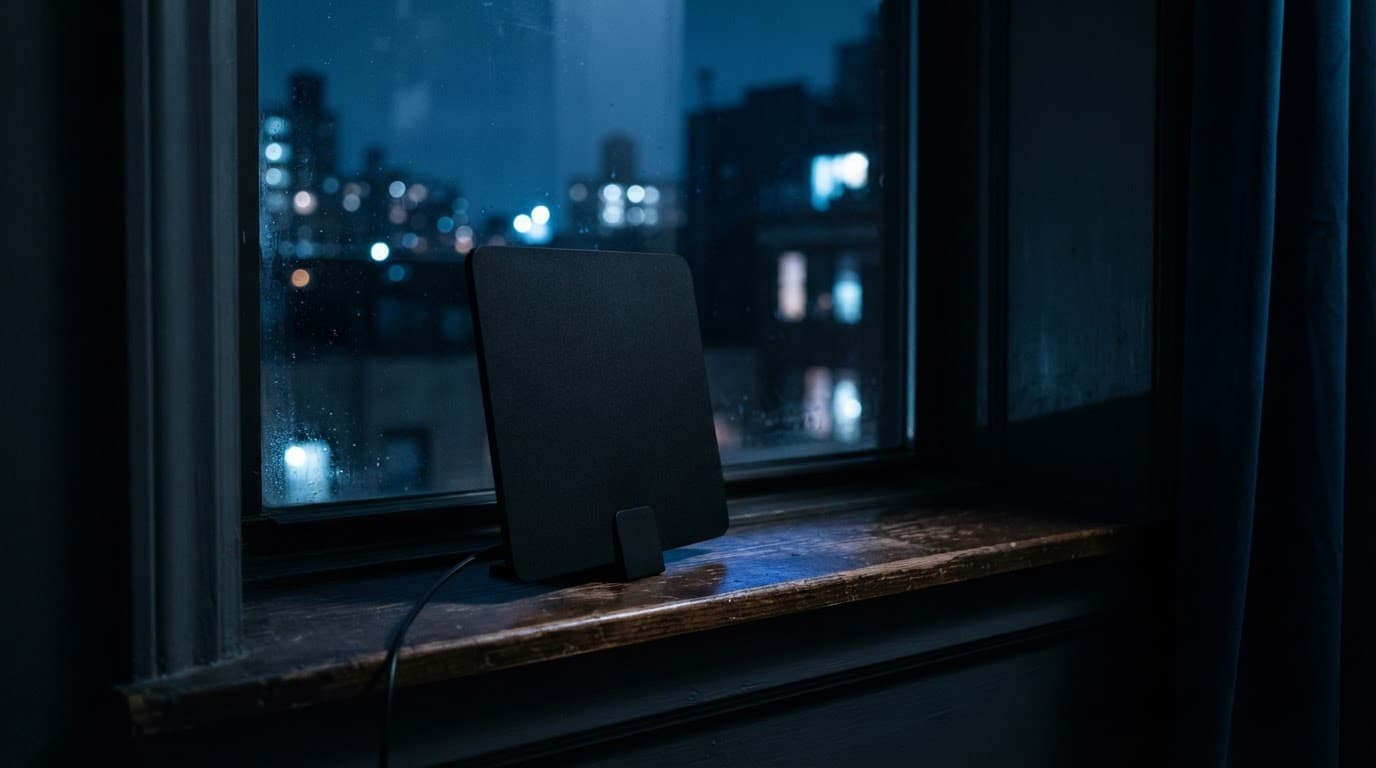
The setup is usually straightforward:
- Buy an antenna that connects to your television's antenna input.
- Place it near a window or higher location if the signal is weak.
- Run the television's channel scan to locate available over-the-air stations.
- Reposition the antenna and scan again if reception is inconsistent.
Don't buy an expensive antenna based on a promise that it will receive a certain number of channels. Reception is local. Test it in your home while you still have your existing TV service, if possible.
A digital antenna doesn't replace every cable channel. However, it may be the right answer when your viewing is mostly local news, network programming, weather coverage, and broadcast sports.
When buying a TV antenna, look for a basic indoor model that matches your distance from local broadcast towers without paying for overpriced features. Brands vary, but a simple flat antenna placed near a window often provides clear access to local news and major networks for around $20. Always check your local signal strength and test the reception before committing to a permanent setup.
When buying a TV antenna, look for a basic indoor model that matches your distance from local broadcast towers without paying for overpriced features. Brands vary, but a simple flat antenna placed near a window often provides clear access to local news and major networks for around $20. Always check your local signal strength and test the reception before committing to a permanent setup.
Local Broadcast TV Matters During Football Season
As college football season approaches, live sports become a high-value item for many households. Before you remove cable television, look at the games and teams you watch most often.
Some college football games air on local broadcast networks, which an antenna may receive. Other games appear on cable channels or streaming services that require a paid subscription. The same is true for professional football, baseball, basketball, and other sports. The right choice depends on the conferences, teams, and games you follow.
Don't assume a lower-cost TV plan includes every sporting event. Confirm where your must-watch games will air before you switch. A few weekends of sports may not justify an expensive year-round package, but you should make that decision with your eyes open.
Compare Television Options Without Chasing Every Subscription
Cable and satellite TV can feel familiar because one provider handles a large channel package, equipment, and a channel guide. The convenience comes at a price, and the total often grows once promotional pricing ends or fees stack up.
Streaming can reduce costs, but it can also become another expensive pile of monthly charges if you subscribe without a plan. Consumer Reports notes that live-TV streaming services commonly range from about $45 to $95 or more per month, depending on the service and plan. Its comparison of live-TV streaming services is a useful reminder that live sports and local-channel access usually cost more than on-demand entertainment alone.
Here is a practical way to compare the types of service:
| Television option | What it can provide | Cost consideration |
|---|---|---|
| Digital antenna | Available local broadcast stations | One-time antenna purchase, often around $20 for a basic indoor model |
| Traditional cable or satellite | Large channel package, often including live sports | Monthly bill can include programming, equipment, and additional fees |
| On-demand streaming services | Movies, series, and some original programming | Each service has its own monthly charge |
| Live-TV streaming service | Live channels, often including sports and news | Typically costs more than on-demand streaming and may still require home internet |
| Streaming bundle | Multiple on-demand services sold together | Can be less than buying separately, but review what is actually included |
The table makes one point clear: free local TV, on-demand streaming, and live sports are different purchases. A household that only needs local stations may save substantially with an antenna. A household that follows college football across multiple conferences may need a paid live-TV option.
CNET cautions that home internet can absorb a large part of cord-cutting savings. Its review of live-TV streaming options estimates that 100 Mbps internet service may cost roughly $50 to $60 per month. Therefore, compare the full household total, not the advertised price of a streaming service by itself.
Cutting cable lowers costs only when you avoid rebuilding the same oversized channel package through separate streaming subscriptions.
The best type of TV for cord-cutting depends primarily on your viewing habits, but a basic indoor digital antenna is usually the most cost-effective starting point for local news and broadcast networks. If you want live sports or extensive cable networks without a traditional contract, a live-TV streaming service may fit your needs better. Always match your TV choice to the specific channels you actually watch so you don't overpay for an oversized package.
Avoid the Streaming Subscription Pileup
A low monthly price can seem harmless until several services renew on different dates. Add one live-TV service for sports, a few on-demand services for shows, and faster internet, and your savings may disappear.
Before adding any subscription, ask whether it delivers programming you will watch enough to justify a recurring charge. For sports fans, ask whether it includes your local channels, the networks that carry your team's games, and any extra sports add-ons required for access.
I also recommend reviewing subscriptions at least twice a year. College football season, the holidays, and a favorite show's release can justify a temporary subscription. That doesn't mean you need to keep it all year.
Review Internet and Phone Service Separately
A digital antenna can replace part of a TV package almost immediately. Internet and telephone choices require more homework because the providers available to you depend on your neighborhood.
Don't cancel your current bundle until you know which companies serve your address and what their plans cost after introductory pricing ends. Availability can change block by block, especially in rural areas, older neighborhoods, and some commercial locations.
Match Internet Speed to Real Household Needs
Kathy mentioned basic internet tasks such as checking email and paying bills. If that is the full extent of your internet use, you may not need a large home internet plan.
However, the answer changes if your household uses video calls, remote work platforms, cloud backups, smart-home devices, security cameras, online gaming, or multiple televisions streaming at the same time. A small business also may need dependable connections for point-of-sale systems, customer communications, cloud applications, and payment processing.
Before comparing plans, make a list of the devices and activities that depend on your connection. Then ask the provider what the monthly price becomes after any promotion ends, whether the plan has a data cap, and whether equipment rental appears as a separate fee.
A Smartphone Plan May Cover Basic Calls and Internet
For someone who mainly needs to make calls, receive calls, check email, and pay bills, a smartphone plan may be an option to consider. It can combine phone service and basic internet access in one device.

This approach isn't right for every household. A smartphone may be difficult to use for some people, and mobile data may not meet the needs of a home with several users or connected devices. Still, it deserves consideration if you currently maintain both a landline and a home internet plan for only light use.
A smartphone plan may fit if you need:
- Reliable calling and texting.
- Occasional access to email and online bill payment.
- Basic web browsing without a household full of connected devices.
- A single monthly service instead of separate phone and internet bills.
Call Xfinity Before You Cancel
Before canceling Xfinity or any provider, call and explain that the bill has become unaffordable. Tell the representative you don't use pay channels and that you're considering ending service because the total is too high.
Companies don't want to lose customers, so they may offer a lower-priced package, a promotional rate, or another money-saving option. They are not required to do so, and you should never assume an offer is the best deal. Still, the call costs nothing and can give you a useful comparison point.
Use Direct Questions During the Call
Ask the representative to quote each option in writing or through your account, including the full monthly charge after promotions expire. Don't accept a vague promise that your bill will be lower.
Use these questions:
- What is the lowest-priced internet plan available at my address?
- Can you remove television service and keep internet or phone service?
- Is there a package without premium channels?
- What equipment, broadcast, regional sports, or other recurring fees apply?
- How long does the quoted price last?
- Is there a contract or an early-termination fee?
- What will the full monthly bill be after the promotion ends?
If an offer sounds good, compare it with your antenna, streaming, smartphone, and local internet options before agreeing. The lowest price today may not remain the lowest price next year.
Follow a Simple Plan to Lower the Bill
Most consumers get better results when they make decisions in order rather than reacting to the total on one frustrating bill. Start with what you need, then work toward the least expensive way to get it.
- Review the current bill and mark every charge you don't understand or no longer use.
- Test a digital antenna for local channels before dropping TV service.
- Check internet and phone availability at your exact address.
- Decide whether a smartphone can replace a landline and meet your basic online needs.
- Call Xfinity and explain that you are considering cancellation because the bill is unaffordable.
- Compare the full monthly cost of every option, including internet, device rentals, fees, and promotional end dates.
- Cancel only the services you can replace without creating a new problem.
Build a TV Plan That Fits Your Budget
A nearly $300 cable bill is a signal to re-examine the package, not a reason to give up the services that matter to you. In Kathy's situation, a digital antenna could replace paid cable TV for local channels, while a careful review of internet and phone needs could reduce the remaining monthly cost.
I've found that consumers save the most when they refuse to pay for channels, equipment, and services they don't use. A lower bill starts with a little homework that often leads you to a smaller service plan.