

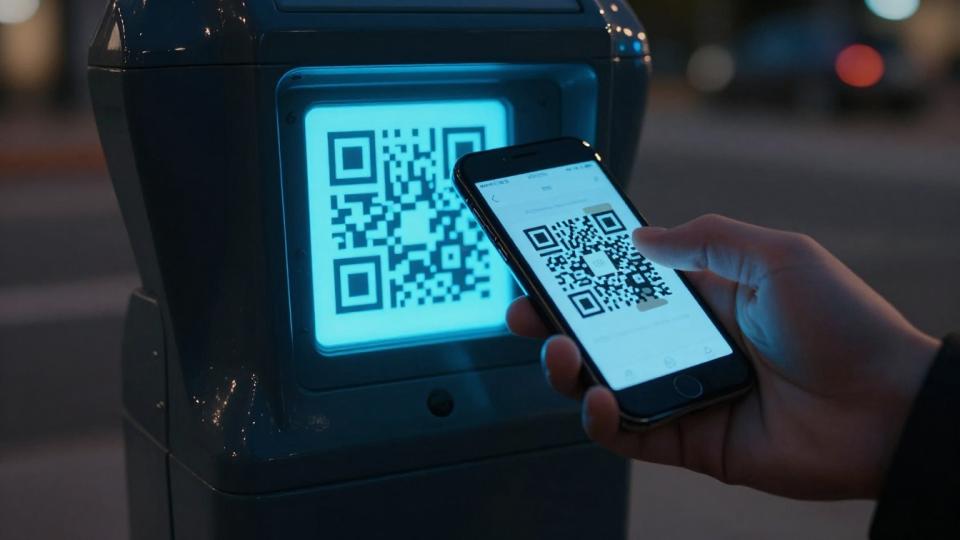
A recent Federal Trade Commission QR code scam alert carries a simple warning: a QR code in a public or unexpected place can be a direct link to a scam. A code on a parking meter may look routine, yet a criminal can place a fake sticker over the real payment code with ease.
Scammers count on quick, time-sensitive tasks, and a smartphone camera on mobile devices can open more than a payment page. It may lead to mobile payments, a digital menu, a Wi-Fi network, or a vCard contact, so verify the destination first. It's become enough of an issue for the FTC to issue a warning, urging you to learn how to spot a bad link, protect payment details, and respond quickly if you already shared information.
Key Takeaways
- A QR Code is only a shortcut to a destination, and scammers can replace legitimate codes with links to fraudulent payment pages.
- Inspect public codes for tampering, then preview the full destination URL for misspellings, unfamiliar domains, or unexpected login requests.
- Whenever possible, pay through an official app, website, phone number, or payment terminal instead of scanning an unverified code.
- Never enter card details, passwords, bank information, Social Security numbers, or verification codes unless you independently confirm the request.
- If you scanned a suspicious code or shared information, contact your card issuer or bank immediately, secure affected accounts, save evidence, and report the scam.
QR Code Scam Warning: Why a Parked Code Can Put Your Money at Risk
A QR Code is only a shortcut to a website, app, or payment page. The square itself is not automatically dangerous. However, the page it opens may be a convincing fake designed to collect your card number, password, or personal information.
A static QR code points to a fixed destination URL. A dynamic QR code can redirect to a changed destination. Neither format proves that a code is legitimate.
Denso Wave was the original developer of this technology. That history doesn't make every code safe. Error correction may let a damaged or partially covered code scan, but it can't authenticate the sticker or remove the security risks.
The FTC warns that scammers have covered legitimate QR codes on parking meters with their own codes. You scan what looks like the approved parking-payment option, enter your card details, and land on a fraudulent page. Your payment may never reach the parking authority, while the scammer walks away with your information.
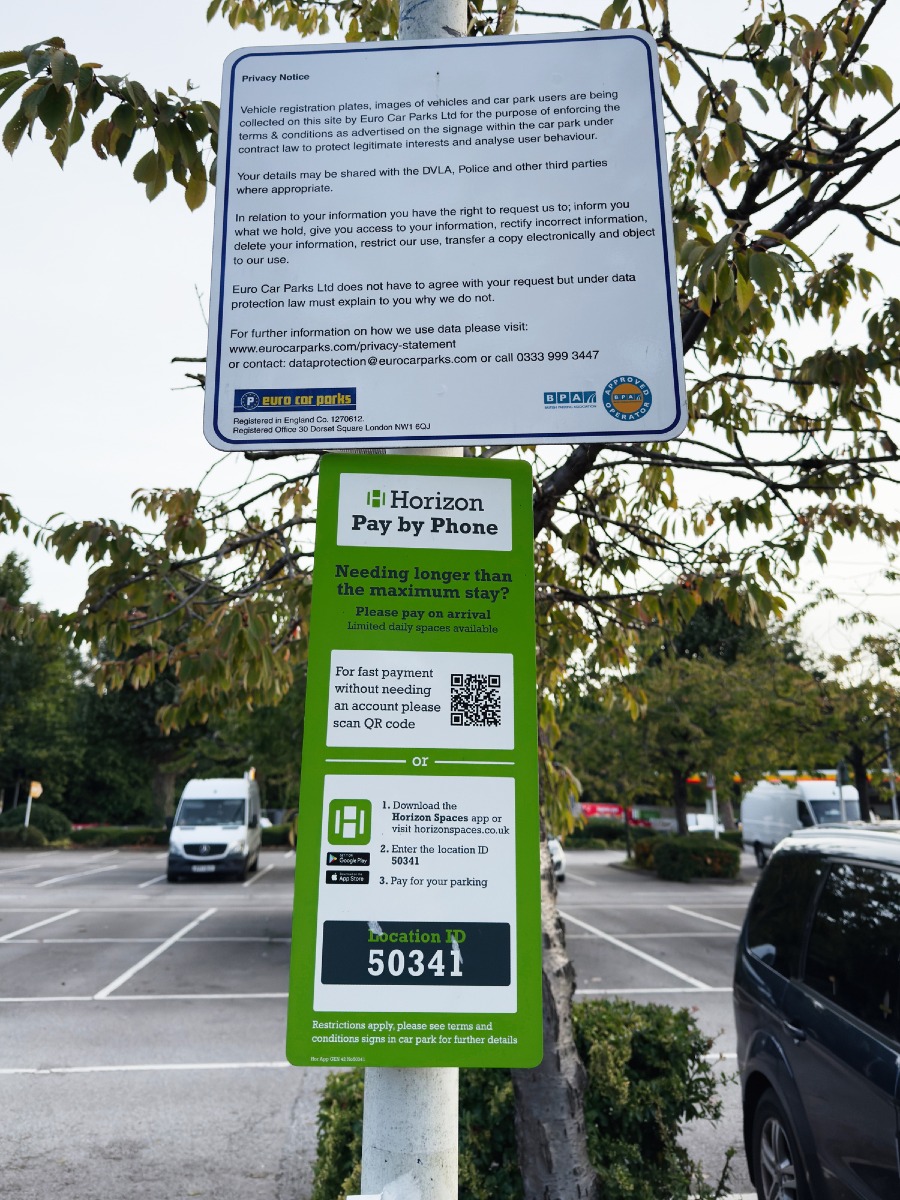
The Federal Trade Commission's warning is direct: "See a QR code parked somewhere? Don't scan it...yet!" A visible code is not proof that it belongs there. The FTC has also documented reports of criminals placing their own codes over real parking-meter codes in its QR code safety guidance.
The warning signs that a QR code may be fake
Start with the physical code. A sticker that sits unevenly, covers another code, has different coloring, or looks recently added deserves scrutiny. Check the surrounding instructions, too. A legitimate parking sign may list an official app, web address, customer-service number, or payment provider that does not match the sticker.
Operators displaying codes for commercial purposes can compare suspicious replacements with approved vector formats. Poor print quality is another useful verification clue. Consumers don't need to understand file production to notice that a sticker looks wrong.
After you scan, inspect the destination URL before doing anything else. Watch for misspellings, extra words in the address, an unfamiliar domain, or a brand name with one swapped letter. A page that asks for far more than a parking payment needs is another warning sign.
The same destination check applies when a code connects to a Wi-Fi network. Confirm the network name and source before entering a password or connecting.
A real payment request should not need your Social Security number, bank login, email password, or one-time verification code.
Why urgent payment requests deserve extra caution
Urgency is part of the con. A meter countdown, a threat of a fine, or a message that says "pay now" can push you past basic checks. Scammers want you focused on avoiding a ticket, not on reading a web address.
Treat any QR Code payment request as high risk when it seeks card details, account credentials, bank information, or security codes. No legitimate business needs your texted verification code to accept a routine payment. Pause before you type, because a few seconds of checking can prevent a much longer financial mess.
A payment page can look polished and still be fraudulent. The address bar and the source of the request matter more than the page design.
How to Check a QR Code Before You Scan or Pay
Use a deliberate routine whenever a code asks you to make a payment or sign in. The safest move is often skipping the code entirely and using an official app or web address you already know.
- Pause and ask whether you need to scan. A parking meter, utility notice, or store display may offer another approved payment option.
- Inspect the QR Code and sign. Look for an overlay sticker, torn edges, mismatched fonts, or instructions that conflict with the business's official information.
- Open the official app or type the website yourself. Don’t depend on the code when you can reach the same service through a verified source.
- Preview the destination after scanning. If your smartphone camera opens a page, preview the full destination URL for misspellings, strange domains, and unexpected login prompts.
- Confirm before entering information. Stop if you can’t verify both the organization and the payment destination independently.
Safer ways to make parking and other public payments
For parking, use the official meter app, a card terminal attached to the meter, or a phone number printed on the original sign. If the city or lot operator has a website, type its address into your browser instead of using a random QR link.
The same rule applies at restaurants, events, package lockers, and public charging stations. Search results and paid ads can also lead to misleading pages, so don’t assume the first result is official. Confirm the payment method through the city, property owner, event organizer, or provider listed on the original equipment.
If you’re unsure, take a photo of the sign and contact the operator through a number or website you find independently. A legitimate operator would rather answer a question than receive a complaint about an unpaid parking session.
How to handle a QR code from a home service provider
A QR Code on an estimate, invoice, door hanger, service sticker, or job-site sign also deserves verification. A legitimate contractor may use digital invoices, but you should still confirm the request before paying.
Call the company using a number you found independently, not the phone number embedded in the code. Ask whether it sent the invoice, then compare the written scope, price, warranty, business name, and payment instructions with what you agreed to. Don’t let a rushed text or payment page replace a signed agreement.
For businesses that publish codes: An organization using a QR Code generator for commercial purposes, including marketing campaigns, should verify the destination URL before publishing. Scan tracking and scan statistics can help identify unusual activity, but neither proves a payment page is safe. A custom logo and other design options must not reduce readability or cover the code’s essential pattern. Compare the approved master design with any suspicious replacement. A polished design or tracking feature isn’t a trust signal by itself. Retain approved artwork in vector formats. Use PNG format for suitable digital placements and SVG format when scalable artwork is needed. Preserve high resolution and print quality on signs, invoices, and stickers.
What to Do If You Scanned a Suspicious QR Code
Your next step depends on what happened after you scanned. Act quickly, but don't return to the suspicious page.
If the QR Code only opened a webpage, close it. Don't download a file, install an app, approve a browser notification, or provide information. Save the page address or destination details without reopening the page. Run available security updates on your phone, because the FTC recommends keeping your device software current to help protect personal information.
If you entered a card number, call the card issuer immediately using the number on the back of your card. Explain that you may have entered details on a fraudulent payment page. Ask whether the issuer recommends blocking or replacing the card, then review recent transactions closely.
If you shared a password, change it through the organization's official website or app. Also change it anywhere else you reused that password. Turn on multi-factor authentication where available, especially for email, banking, and payment accounts. The FTC's phone privacy recommendations include using strong passwords and added account protection.
When you share bank-account information, a Social Security number, or identity details, contact the affected financial institution right away. Monitor your accounts for unauthorized activity and follow its fraud department's instructions. Save the QR Code, photos of the sign, page address, messages, receipts, and screenshots. These records can help your bank and investigators understand what happened.
How to report a scam and warn others
Report the suspected fraud through the FTC's official consumer reporting channels. The FTC's scam reporting resources can direct you to the appropriate reporting process and recovery guidance.
Also notify the parking authority, property owner, business, or payment provider connected to the sign. They may inspect the location, warn other customers, and remove a fraudulent sticker. If you’re still at the site, don't tear off the code or confront anyone nearby. Take a clear photo if you can do so safely.
Reporting helps protect others, but it doesn't replace contacting your card issuer, bank, or affected account provider. Financial institutions need prompt notice to watch for unauthorized use and discuss available protections.
The Simple Rule That Prevents Most QR Code Scams
Don’t scan first and investigate later. Pause, verify the source, preview the destination, and use an official payment method whenever possible.
A QR Code on a public sign, parking meter, or invoice may be legitimate. Still, treat it as an unverified link until you confirm where it goes. Never give up sensitive information because a screen creates pressure.
Businesses that display public codes should keep approved artwork in vector formats. Check print quality after replacement or reprinting. Attractive design options don’t establish legitimacy.
Frequently Asked Questions
Can scanning a QR Code steal my information immediately?
Scanning a QR Code usually opens a website, app, or other destination, but the destination may be designed to collect sensitive information. Close the page without downloading files, installing apps, or entering details if you cannot verify it.
How can I tell whether a parking QR Code is fake?
Look for stickers placed over another code, uneven edges, mismatched colors, poor print quality, or instructions that conflict with the official sign. Compare the payment method with the parking authority’s official app, website, phone number, or meter instructions.
Is a dynamic QR Code safer than a static QR Code?
No. A static code points to a fixed destination, while a dynamic code can redirect to a changed destination, but neither format proves that the code or its destination is legitimate. Always verify the source and preview the URL before paying or signing in.
What should I do if I entered my card information on a QR Code payment page?
Call your card issuer immediately using the number on the back of your card and explain that the information may have been submitted to a fraudulent page. Ask whether the card should be blocked or replaced, and monitor transactions for unauthorized activity.
Where should I report a QR Code scam?
Report the suspected fraud through the FTC’s official scam reporting resources, and notify the parking authority, property owner, business, or payment provider connected to the sign. Save photos, URLs, messages, receipts, and screenshots to support your report.
Conclusion
The FTC's QR Code warning comes down to a practical habit: visible doesn't mean verified. Public codes can be altered, and a polished payment page can hide a fraudulent destination.
Use official apps and websites when available. Inspect physical codes for tampering, and contact your bank or account provider immediately if you entered financial or login information through a QR Code.
Businesses and service providers should retain approved artwork in vector formats, so replacement stickers can be compared with the original.
A calm pause and a careful check will protect you far better than speed.