
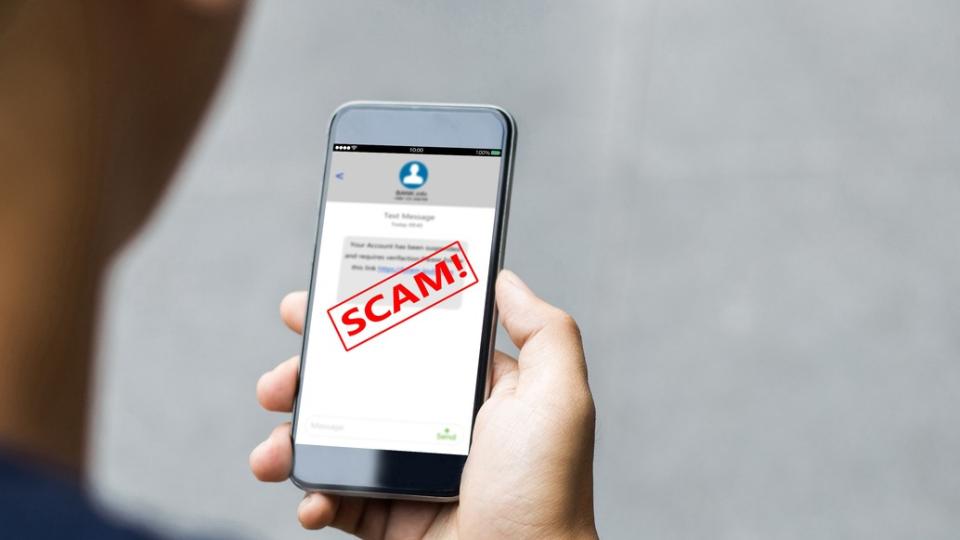
Your phone buzzes: a loyalty program claims your reward points expire today, with a link promising to save them. The urgent expiration deadline may seem routine, but the Federal Trade Commission warns this text scam can lead to a page that steals personal information or payment details or installs harmful software on your phone.
Don't click the link to check the claim. You can verify your points through an account you access yourself. If you already clicked, what you do next depends on whether you entered information or downloaded anything.
How the Reward Points Expiration Scam Tries to Catch You
In its warning about expiring rewards texts, the FTC describes messages that demand immediate action or threaten to wipe out your points. Its advice is direct: "Resist the urge to click." Some notices are genuine, so verify the claim rather than assuming either way.
Urgency Pushes You Toward a Fake Rewards Link
A text message may claim your points expire "today," using an expiration deadline to leave little time to think. That wording plays on loss aversion, the fear of losing points you’ve earned. A malicious link may lead to a fake website or redemption page that asks for a credit card number or other sensitive details. The FTC warns it may also download harmful software. The deadline is the pressure tactic; you don't need to follow the message to check whether your points are at risk.
A Familiar Brand Name Does Not Prove the Text Is Real
A company name in a message isn't proof that the company sent it. Scammers can impersonate a loyalty program you recognize, while an unexpected link or request for payment information gives you reason to pause. Those signs call for independent verification, not an instant verdict about the text.
How to Check Your Rewards Points Without Clicking the Text
To protect yourself, follow the FTC's safer route: "Go to the company's website or app, but find it yourself." Check your loyalty program account there for your balance, expiration date, and any matching notice. Don't use a link, phone number, or other contact detail supplied in the suspicious message.
Use the Official App or Website You Already Trust
Open the company's app you already use, or type its known website address into your browser. Sign in and review your rewards activity and account notices. If the expiration date still isn't clear, find customer service details in the app or on the independently located site. Ask the company to confirm the date and whether you need to do anything.
Reduce Future Spam Texts and Phone Risks
If another text scam arrives, use your messaging app's report spam option. When your mobile carrier supports it, forward the suspicious text to 7726. The FTC's guidance on reporting spam texts explains that 7726 spells SPAM on a phone keypad.
You can also turn on available carrier spam tools and install software updates to help protect against security threats. Filters help, but they won't catch every message. For other warning signs, see TrustDALE's guide to spotting text message scams.
What to Do If You Clicked the Link or Shared Information
Take the next step based on what happened. A scam text may lead to a fake website, but opening the link alone doesn't prove your phone is infected. Sharing passwords or payment details can expose you to a phishing scam, while installing software creates different risks. Responding quickly can limit further harm.
Stop Entering Information and Secure Exposed Accounts
Close the page. Don't enter more details, approve a download or follow any instructions it displays. If you gave away a password, change it through the real company's app or website. Change it on every other account where you reused it, too.
If you shared card or bank details, contact the issuer promptly using the number on your card or statement. Explain what happened and ask how to protect the account. Then watch for transactions you don't recognize. If you entered rewards account credentials, contact the rewards program through its official support channel as well.
Report the Text and Ask for Help if You Need It
Report the message in your phone's app or forward it to 7726 when available. You can also file a report through the FTC's ReportFraud.ftc.gov portal; the agency's scam-reporting guidance explains where to start.
If you installed software or your phone behaves unexpectedly, seek help from a trusted technical support provider. Tell someone you trust if you feel unsure or embarrassed. Scammers design these messages to rush you, and another person's perspective can help you respond.
Key Takeaways
- Check expiring points in an app or website you found independently, never through the text's link.
- Treat an urgent deadline and a familiar brand name as reasons to verify, not reasons to act quickly.
- If you shared information, secure the affected account first. Then report the text and watch for further activity.
Frequently Asked Questions
Can Legitimate Rewards Points Expire?
Yes. A real program may have expiration rules, which can depend on its terms and your account activity. Check the rules and your balance inside your account, or ask the company using independently found contact information.
Should I Reply "STOP" to an Unexpected Rewards Text?
Don't reply to a message you suspect is a scam. Instead, use your phone's junk-reporting feature or your carrier's reporting option. If you want to change legitimate marketing preferences, do so through the company's official app or website.
What If I Entered a One-Time Sign-In Code?
Contact the affected company through its official support channel immediately. Change your password and ask it to check your account for unauthorized activity. A code can give someone access even if you never shared your password.
What If I Shared My Social Security Number?
Treat it as an identity theft risk. Visit the FTC's IdentityTheft.gov site for a recovery plan tailored to what you shared. Keep records of the message and any steps you've taken.
Does Forwarding a Text to 7726 Also Report It to the FTC?
No. Forwarding to 7726 reports the message through your carrier's spam-reporting channel. To report the scam to the FTC, submit a separate report through its ReportFraud portal.
The Safest Next Step
An expiring-points text can make a link feel like the quickest way to protect what you've earned. Your own account is the better source of truth. Open it independently, check the notice and leave the text's link untouched.
If you already interacted with the page, focus on the information you shared. Secure the affected accounts, report the message and get help if you suspect harmful software.