
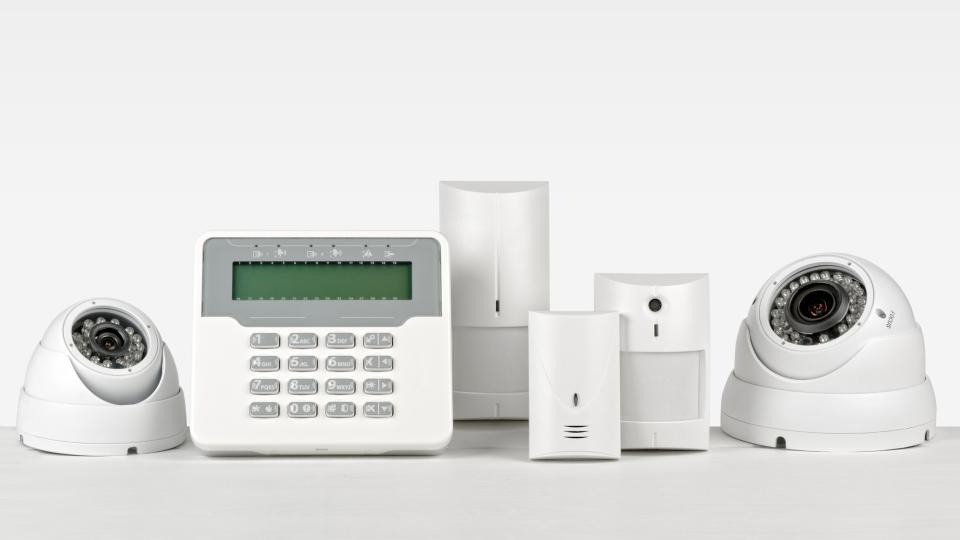
Wireless home security systems can face interference or device tampering, but that doesn't mean every system is easy to defeat. If you're asking, "Are Wireless Home Security Systems Easy to Disable?" the useful answer is that design and backup features matter more than the wireless label.
Installation, protocol design and monitoring matter too. While traditional burglar alarms relied on physical telephone wiring, modern installations rely on multi-path transmission. Before you buy, find out what the home security system does when a connection fails and who responds. If your current home security system goes offline, start with ordinary troubleshooting rather than assuming someone targeted it.
Key Takeaways
- A wireless home security system is not automatically easy to disable; its resilience depends on its design, backup features and monitoring response.
- Power, internet or cellular outages, sensor faults and physical tampering are different issues. An outage alone does not prove deliberate interference.
- Ask providers how the system reports lost connections, what backup power and communication paths it uses, and whether those features cost extra.
- If your system goes offline, check its event log and status, then contact your provider. Have a certified professional investigate persistent problems rather than altering equipment yourself.
How Vulnerable Are Wireless Security Systems?
Wireless sensors communicate with a control panel over radio links, so interference can disrupt communication. But an offline sensor, an internet outage, a power failure and physical tampering are different problems. Each can produce an alert, and none proves on its own that someone deliberately interfered with your system.
Understand the Risks Without Overstating Them
Door and window sensors and an interior motion sensor communicate with the panel wirelessly, unlike components in a hardwired security system. Radio interference, distance or building materials can weaken their connection. These issues are more likely to cause a supervisory warning or nuisance false alarms than to enable undetected entry.
Homeowners may worry that criminals could disable an alarm system before a home invasion. Sophisticated criminals could theoretically target radio frequencies, but spontaneous wireless sabotage in residential burglaries remains exceptionally rare. Ask a provider what you would see if a sensor, internet connection or monitoring contact failed, and what happens next.
Know That Signal Jamming Is Illegal
Wireless signal jamming deliberately disrupts radio communications. Some high-end wireless alarms use spread-spectrum communication with frequency hopping, which can make localized interference attempts harder.
The Federal Communications Commission (FCC) prohibits the use, sale and marketing of signal jammers in the United States. There is no general exception for home use.
Don't treat an unexplained outage as evidence of signal jamming. If you suspect interference, contact your alarm provider first. Give them the alert message and the time it appeared so they can help separate a possible radio issue from routine equipment or connectivity trouble.
Which Features Can Help Your Security System Stay Connected?
Compare what a system does during a failure, not how many backup features appear on a sales sheet. Ask each provider to explain the equipment and service plan you would actually receive. None of these features guarantees uninterrupted protection for wireless alarms.

Ask About Backup Power, Cellular Service and Tamper Alerts
Start with three separate scenarios: the electricity goes out, your internet stops working or cellular service becomes unavailable. Ask whether the panel stays on, how it communicates with the monitoring center and how you learn that a sensor or panel has a problem.
During extended power outages, a rechargeable backup battery inside the control panel typically provides 12 to 24 hours of operation. A dedicated cellular backup module is crucial because localized power outages can also take home broadband routers offline. Ask whether cellular backup is included or requires another fee, and which outages the provider’s monitoring promise covers.
Get the backup-power duration, alert methods and extra service costs in writing. A battery-backed panel can't provide cellular service when that network is unavailable. Ask the installer to show you where fault notifications appear, so you don't miss an important warning in an app you rarely open.
Check Encryption, Updates and Professional Monitoring
When comparing DIY home security systems, review independent Consumer Reports evaluations of popular options such as SimpliSafe and Ring Alarm. Ask how the system protects wireless communication from interference and unauthorized commands. Some systems use frequency-hopping technology or encrypted communication to make interference and spoofing more difficult. Ask how the provider protects wireless communications, delivers software updates and supports the model you're buying.
Professional monitoring gives you another response path when the service can receive an alarm. Confirm what the monitoring center does if the panel loses contact, whether it calls you and what happens during a power or network outage. Review those terms before signing, especially if monitoring depends on a paid cellular plan.
What Should You Do If Your System Goes Offline?
Start by checking your alarm system’s control panel event log for the exact alert and when it began. See whether it points to one device communication failure or a system-wide RF supervisor alert, then confirm the panel has power and check for an internet or cellular outage. Router reboots, new 2.4 GHz appliances or depleted batteries can trigger supervisory false alarms on wireless alarms. Follow the manufacturer’s routine status checks, and don’t alter equipment to investigate suspected interference.
Next, call the provider or manufacturer. Ask whether recent signals reached the monitoring center and whether it can identify a sensor fault, a power problem or a lost communication path. Keep the support number somewhere you can reach it even if your internet is down.
If unexplained disconnections persist across multiple devices and the monitoring center can’t identify the cause, schedule an on-site diagnostic inspection. Have a certified security professional check the system before suspecting deliberate wireless signal jamming. For unresolved suspected radio interference, the FCC accepts complaints under Interference, Signal Jammers. The FCC and Department of Homeland Security’s joint guidance on signal jammers also lists 202-418-1122 for the FCC’s 24-hour Operations Center when interference imminently threatens life safety. That number isn’t a substitute for routine alarm troubleshooting. If you’re facing an immediate emergency, call 911.
How to Choose a Reliable System and Installer
Before comparing quotes, consult an experienced security professional about designing your home security system around the areas you want covered, who should receive alerts and whether you want professional monitoring. Ask them to assess line-of-sight signal paths and interference risks. Request written details on equipment, installation, backup power, communication options, monthly fees, warranties and support. A low equipment price can hide higher long-term service costs.
Ask each company to demonstrate how its alarm system reports a failed sensor and a lost connection. Find out who installs and services the equipment, whether service visits cost extra and how to protect your security code. Avoid sharing your master code with installers if possible. Ask whether the system allows you to create a temporary installer or guest code instead of sharing your primary code. Pair digital protections with visible deterrents, including outdoor yard signs, window decals and reinforced strike plates, to discourage a potential home invasion. Be wary of pressure to sign before you can read the monitoring agreement or get clear answers about outage response.
Before a technician enters your home, confirm their name with the company and request identification at the door. When searching for a qualified security provider, you can take the guesswork out of finding a reliable, skilled home security and alarm system provider at TrustDale.com. Explore TrustDALE's security and alarm systems listings to find certified TrustDale partners that have passed its rigorous seven-point inspection process and are backed by our $10,000 Make It Right Guarantee.
Frequently Asked Questions
Are wireless home security systems easy to disable?
Not necessarily. A system’s resilience depends on features such as backup power, alternate communication paths, tamper alerts and monitoring response.
Does an alarm going offline mean it was jammed?
No. Internet or power outages, weak connections and depleted sensor batteries can also cause alerts or disconnections. Contact your provider to help identify the cause.
What should I do if my wireless alarm system goes offline?
Check the control panel’s event log and confirm whether the panel has power or there is a known network outage. Then contact your alarm provider or manufacturer for help troubleshooting the alert.
What should I ask before choosing a wireless security system?
Ask how the system reports sensor or connection failures, what happens during power and network outages, and whether cellular backup and monitoring are included. Get backup durations, alert methods and extra costs in writing.
For a deeper dive into home automation including security systems, watch our Trust Issues podcast episode SMART MOVES: The Truth About Home Automation with TrustDALE Certified Partner Intuitive AV.
Conclusion
A modern wireless home security system isn't inherently vulnerable when it uses cellular failover, encrypted signals and responsive monitoring. Its resilience depends on backup paths and a provider that responds when something goes wrong.
Before buying, verify multi-path connectivity and ask what happens when your alarm system goes offline. Maintain your hardware and keep your monitoring provider's number handy. If an outage remains unresolved and you suspect illegal interference, report it through the appropriate FCC channel.